What is agentic AI, in plain English?
An AI agent is an AI you give a goal instead of a question. It makes a plan, uses tools (a web browser, your email, a spreadsheet, your computer) and works through the steps, checking in when it needs you.
Example: instead of asking “what are good hotels in Lisbon?”, you say “find 3 hotels in Lisbon under $150 a night near the river, compare them in a table, and don't book anything.” The agent visits the sites and comes back with the table.
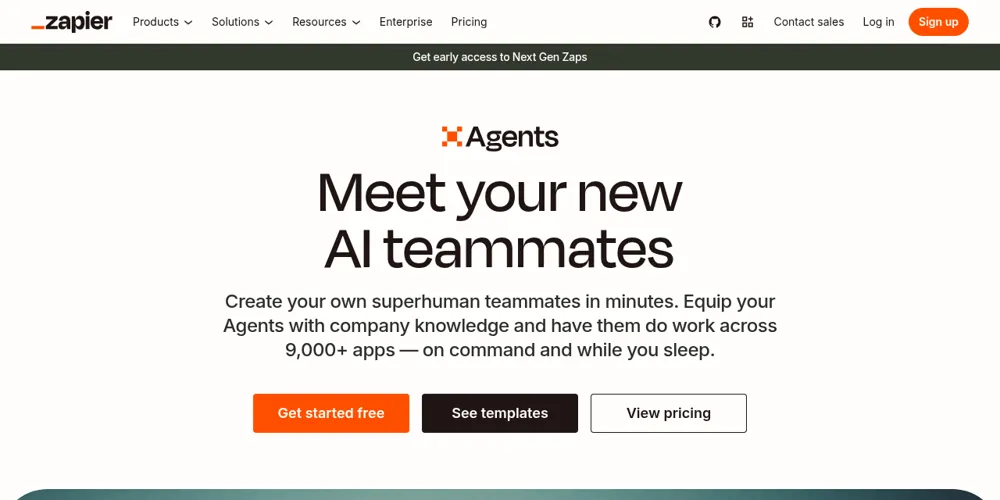
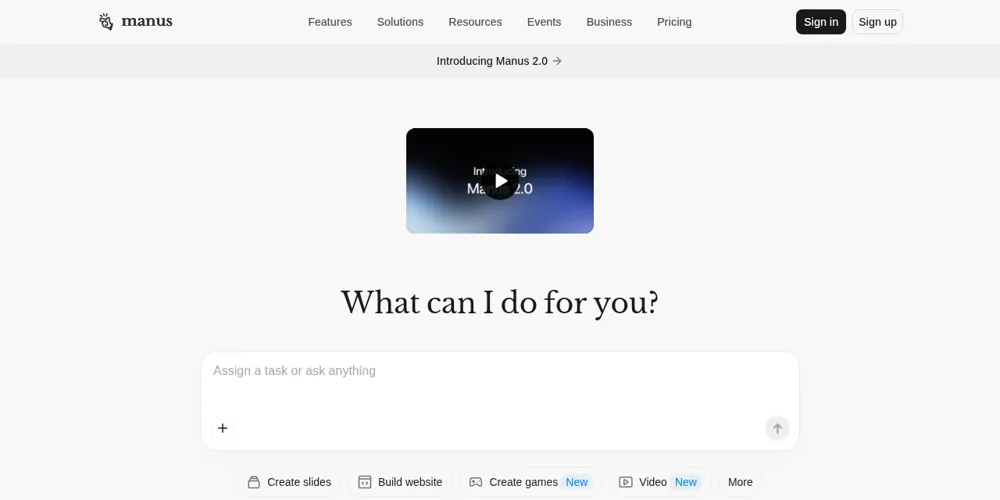
Most popular AI agents (as of Oct 2026)
The big-name agents people are talking about right now. Research-based from each company’s official pages: we haven’t tested these hands-on yet.
dots (in ChatGPT)
Always-on agents with their own cloud computer and browser that keep working on your goals between chats and ask before big actions.
Grok Bot
“AI teammates” with their own computer that sign into your apps and websites, run in parallel and keep working when you step away. In beta.
Muse
A personal agent that works across your apps, messages, calendar and files to get everyday tasks done. Not to be confused with Meta’s Muse AI models.
ChatGPT Work
The ChatGPT mode that runs longer, multi-step jobs like research, documents and browsing for you.
Manus
Type a task and it builds a whole research report, slide deck or similar on its own.
Compare them head to head: Grok Bot vs OpenAI dots · Grok Bot vs Meta Muse · Grok Bot vs Microsoft Copilot (Copilot explained) · Manus vs ChatGPT agent vs Grok Bot
Sources (checked Oct 15, 2026)
- OpenAI: Introducing dots (Sep 29, 2026)
- OpenAI Help Center: Getting started with your dot
- SpaceXAI: Introducing Grok Bot (Aug 11, 2026)
- SpaceXAI: Grok Bot is now included with more plans
- Meta Help Center: About Muse subscriptions
- Meta AI Research: How we built safety into Muse (Sep 8, 2026)
- OpenAI Help Center: ChatGPT Work and Codex
- Manus Help Center: membership pricing
Prices and availability change often and vary by country. Always confirm on the official site.
Chatbot vs agent: what's different?
| Chatbot | AI agent | |
|---|---|---|
| You give it | A question | A goal or task |
| It gives back | An answer in text | Finished work: a file, a filled-in form, a sorted inbox |
| Uses tools? | Sometimes (search) | Yes: browser, apps, files, sometimes your computer |
| How long | Seconds | Minutes to hours; can run on a schedule |
| Risk | Wrong answers | Wrong actions, so approvals matter |
As of Oct 2026 the big assistants all have agent modes: OpenAI now splits ChatGPT into Chat and Work; Anthropic's Claude can use your Mac or Windows PC (beta, Pro and Max plans); Google offers Gemini Agent, with more agent requests on higher plans. See our agent tools roundup.
What do you want to tackle?
Describe a problem in your own words, like “I'm drowning in email” or “plan a cheap weekend trip”.
🔒 This runs entirely in your browser. Nothing you type is saved or sent anywhere.
Pick your path
Everyday person
Errands, bills, trips and family admin.
Student / learner
Study plans, research and practice.
Freelancer / creator
Clients, content and invoices.
Small business owner
Customers, bookkeeping and marketing.
Office worker
Email, meetings, reports and spreadsheets.
Developer
Bugs, tests and pull requests.
Use-case library
20 real-world jobs agents can help with, grouped by area, each with tools, difficulty, cost and a starter prompt.
🏠 Personal life and errands
3 use cases
💼 Work and productivity
5 use cases
🏪 Small business
4 use cases
💻 Coding
2 use cases
🔎 Research
2 use cases
🧳 Shopping and travel
2 use cases
🎓 Learning
2 use cases
Stay safe: 8 rules before you let an AI act for you
- Keep approvals on. Use settings where the agent asks before it sends, buys, deletes or submits. Google says Gemini Agent asks you to confirm before purchases; Claude asks permission before using a new app.
- Never give it your passwords. Don't paste passwords, PINs or one-time codes into a chat. Sign in yourself when asked, or use the official app connections.
- Set spending limits. If an agent can shop, use a card with a low limit or a virtual card, and read the cart before you confirm.
- Start with read-only jobs. “Find and list” before “book and pay”.
- Watch for prompt injection. Web pages and emails can contain hidden instructions that try to trick an agent. OpenAI and Anthropic both warn about this. Treat odd behaviour as a red flag and stop the task.
- Give the smallest access needed. Connect one inbox or one folder, not everything.
- Check the work. Agents make mistakes; Anthropic says complex tasks sometimes need a second try.
- Keep sensitive data out. No medical records, ID numbers or bank details unless you truly trust the tool and its privacy policy.
Start here
Your first AI agent in 15 minutes
A safe, free first task, step by step.
LibraryAll agent use cases
Filter by who you are.
RoundupBest AI agent tools (2026)
11 tools compared, research-based.
Want an AI that never leaves your computer? See Local AI: run models privately at home.
Last checked Oct 15, 2026. This section is research-based: we haven't tested these agents hands-on yet.
Sources
- OpenAI Help Center: ChatGPT Work and Codex: last checked Oct 15, 2026
- Anthropic: Put Claude to work on your computer (Dispatch and computer use): last checked Oct 15, 2026
- Claude Help Center: Let Claude use your computer in Cowork: last checked Oct 15, 2026
- Google One: Google AI plans: last checked Oct 15, 2026
- Gemini Apps Help: Get help with your shopping: last checked Oct 15, 2026
- OpenAI: Understanding prompt injections: last checked Oct 15, 2026
- Anthropic: Mitigating prompt injections in browser use: last checked Oct 15, 2026
Prices and plans change often. Always confirm on the official site before you buy.